Operations · Operations
Business Email Compromise in 2026: A Payment Verification Process for Small Teams
The FBI logged $3.05 billion in reported losses last year. A one-page call-back process and two-person approvals stop most of it.
- (Author)
- Ines Calloway
- (Published)
- (Reading)
- 7 min
- (Section)
- Operations

In this guide 8 sections
Business email compromise is a scam where a criminal poses as a vendor, boss or customer by email to redirect a payment. The FBI logged $3.05 billion in reported losses from it in 2025. The best defense for a small team is simple: verify every bank-detail change and urgent payment request by phone, using a number you already have.
Most of these scams don't involve clever hacking. A message arrives that looks like it comes from a supplier you pay every month. It says their bank changed and asks you to update the account before the next invoice. Someone in accounts payable makes the change, and the next payment disappears.
This guide is for owners, office managers and bookkeepers at companies of five to fifty people who send payments by ACH or wire. It covers what the 2026 FBI numbers show, a written verification process you can adopt this week, and what to do in the first hours if money goes out. The goal is a routine your team follows every time, not a one-off warning.
What the 2025 FBI Numbers Say About Business Email Compromise
The FBI's Internet Crime Complaint Center (IC3) publishes a yearly count of cybercrime reports. Its 2025 IC3 annual report recorded 24,768 business email compromise complaints with $3,046,598,558 in losses. That was up from $2.77 billion in 2024.
The scam ranked second only to investment fraud by dollars lost. Total reported losses across every crime type reached $20.877 billion, a 26% jump from the year before. Divide those losses by the complaints and the average case comes to about $123,000.
That average hides a wide range. A five-person firm might lose a single $18,000 supplier payment. A mid-sized distributor might lose a $400,000 wire. For most small companies, either one is a serious blow to cash flow.
The payment method matters too. In the IC3 data, wire transfers and ACH made up 86% of the transaction types reported in these cases. Those payments move fast and are hard to pull back, which is exactly why scammers prefer them.
How Do Business Email Compromise Scams Usually Work?
Most of these scams follow one of three scripts. A fake vendor asks you to change their bank details. A fake executive asks for an urgent wire. Or a real email account is hijacked and used to send convincing requests from inside a real thread.
The hijacked-account version is the hardest to spot. The scammer reads past emails, learns how invoices look and waits for a payment cycle. The fake request then arrives in the same thread, with the same signature and tone. Spelling checks and "look at the sender" advice won't catch it.
The fake-domain version is easier, if your staff look closely. The Federal Trade Commission (FTC) describes it in its business email imposters guide for small businesses. A scammer sets up an address that looks like your company's or a partner's, sometimes with a single letter changed. The FTC recommends email authentication so receiving servers can confirm a message really came from you.
All three scripts share two signals. The request involves money moving somewhere new, and it comes with time pressure. Your process should trigger on exactly those two signals.
A Payment Verification Process for Small Teams
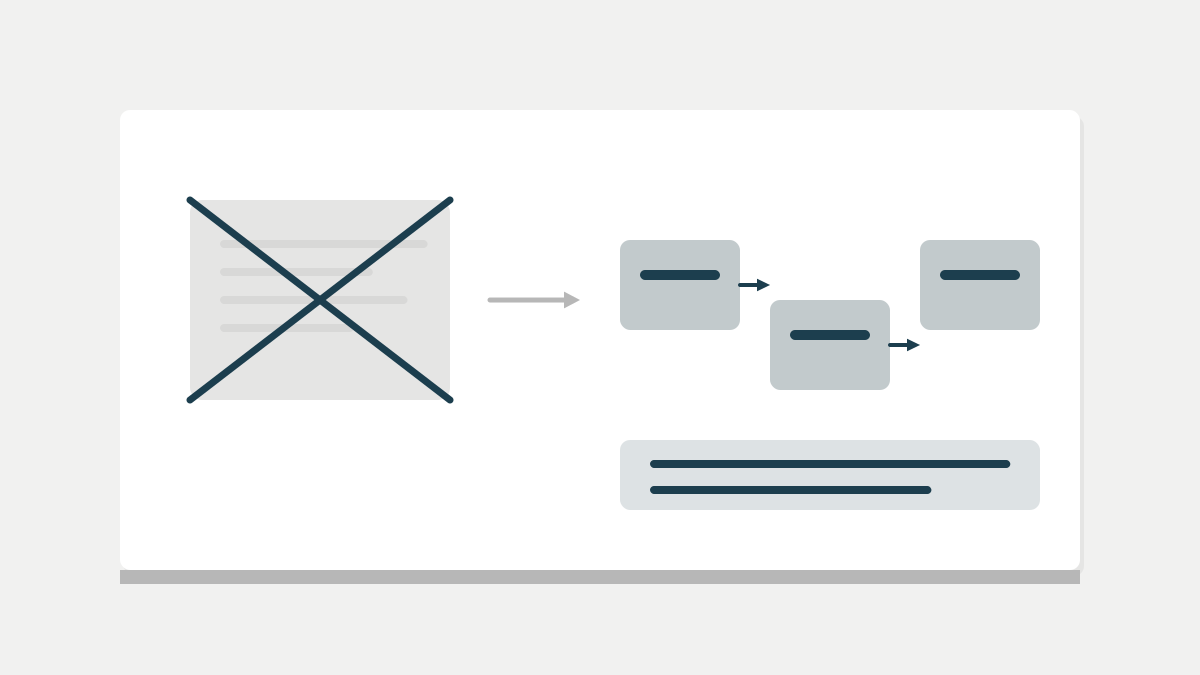
A written process beats good judgment, because judgment fails when someone is busy. The steps below fit on one page and take a few minutes per request. At Emazoo, we think this single page is the most valuable control a small finance team can have.
Follow these steps, in this order, for every new payee, bank-detail change or urgent request.
- Stop. Do not reply to the email or use any phone number in it.
- Call the vendor or colleague on a number already in your files.
- Ask them to confirm the change and the last four digits of the new account.
- Log the call: date, who you spoke to and who made the call.
- Have a second person approve the change in your payment system.
- Send a small test payment and confirm it arrived before paying the full amount.
- Hold the new details for 48 hours before the first large payment.
The phone number rule matters most. The FTC's advice on avoiding imposter scams says to contact the organization using a number or address you already know is real. A number in the suspicious email leads straight back to the scammer.
Collect bank details at onboarding, when you are calm and in control. A good moment is when you gather a new contractor's W-9, which matters more now that the 1099 reporting threshold rose to $2,000. Record a verified phone number at the same time.
Lock Down the Email Accounts Themselves
The call-back rule protects payments, but the email accounts need protecting too. A hijacked mailbox lets a scammer read every invoice thread and time the fake request perfectly. Two settings close most of that gap.
The first is multi-factor login on every mailbox, with no exceptions for the owner. Most stolen accounts start with a reused or phished password. A second login step, such as an authenticator app, blocks that route for most attackers.
The second is email authentication on your company's domain. It uses three records, known as SPF, DKIM and DMARC, that tell other mail servers which senders are really yours. In plain terms, they make it harder for someone to send email that appears to come from your domain. Your email provider or website host can usually set them up in under an hour.
Also check mailbox forwarding rules every few months. Scammers often add a hidden rule that copies or hides messages from a vendor, so the real vendor's replies never reach you. An unfamiliar rule is a sign the account has been compromised, and it calls for a password reset that day.
Set Payment Limits and Approvals in Your Tools
Process works best when your software enforces it. Most business bank accounts and payment tools let you require a second approver. They also let you cap daily transfers and flag new payees.
These settings are worth turning on today.
- Dual approval for any new payee or any bank-detail change.
- Dual approval for transfers above a set amount, such as $5,000.
- Alerts to the owner for every new payee added.
- Multi-factor login for everyone with access to payments.
- Positive pay, if your bank offers it, to match issued payments.
There is a real tradeoff here. Approvals slow payments down, and a busy owner may approve without reading. Keep the approval limit high enough that it triggers a few times a week, not a few times a day.
Moving away from paper also helps, as long as the controls come with it. Our comparison of tools for replacing paper checks covers which platforms build in approvals. Keep the computers that run payments patched, too. The Windows 10 ESU deadline is a good prompt to retire old machines handling money.
What to Do in the First Hours After a Bad Payment
Speed decides whether you get money back. The FBI's IC3 Recovery Asset Team works with banks to freeze stolen funds through a process it calls the Financial Fraud Kill Chain.
The results show why fast reporting matters. In 2025, that team handled 3,900 incidents with $1.16 billion in attempted theft. It froze $679 million, a 58% success rate, according to the IC3 report.
If a payment goes to the wrong account, take these steps right away.
- Call your bank's fraud line and ask for a recall of the funds.
- File a complaint at ic3.gov, whatever the amount.
- Change passwords on every email account involved and turn on multi-factor login.
- Warn the real vendor or customer by phone.
- Write down exactly what happened while details are fresh.
The FTC guide also recommends telling customers quickly if scammers are impersonating your business. Send that warning without links, so it doesn't look like another phishing message.
Train the People Who Touch Payments
Training only needs to reach a few people, but it needs to repeat. In a small company, that usually means the owner, the bookkeeper and whoever handles vendor emails.
A 20-minute review twice a year is enough. Walk through the one-page process, show a real example of a fake request and practice the call-back step. Make it clear that nobody gets in trouble for delaying a payment to verify it, even if the request came from the owner.
The Bottom Line on Business Email Compromise
Business email compromise costs small companies real money, and the 2025 FBI figures show it still growing. The fix is not expensive software. It is a short written process, two-person approval and a phone call to a number you already trust.
Your next step is writing that one page and taping it near whoever pays the bills. Emazoo covers how small businesses run day to day, and few operating habits pay back as quickly as this one.