Tools · Tools
Small Business Data Backup Plan: How to Apply the 3-2-1 Rule and Test a Restore
A backup you have never restored is only a guess. Here is a short plan built on the 3-2-1 rule, with an offline copy and a quarterly test.
- (Author)
- Ines Calloway
- (Published)
- (Reading)
- 8 min
- (Section)
- Tools

In this guide 8 sections
A small business data backup plan follows the 3-2-1 rule: keep three copies of important files, on two types of storage, with one copy off-site. Run backups on a schedule, keep one copy disconnected from your network and test a restore every quarter. A backup you have never restored is only a guess.
This guide is for owners and office managers who keep customer records, payroll files and email on a handful of computers and cloud accounts. It covers what to back up, how the 3-2-1 rule works, which tools fit a small team and how to run a restore test. Emazoo looks at every tool by one question: what does it replace, and what happens when it fails?
Why Does a Small Business Need a Backup Plan?
Data loss comes from cyberattacks, failed hardware, accidental deletion and disasters. Without a backup, recovery can take weeks or months and may be impossible. A tested backup turns a business-stopping event into a bad afternoon, which is why it ranks among the cheapest protections you can buy.
The Cybersecurity and Infrastructure Security Agency (CISA) cites the Verizon 2025 Data Breach Investigations Report, which found ransomware in 44% of the breaches it examined. CISA's guidance on how to back up business data calls backups your best hope of recovery from a ransomware attack.
Picture a ten-person firm whose shared drive fails on the 28th, the week payroll runs. Without a backup, someone rebuilds invoices, timesheets and customer notes from emails and memory. With a nightly copy, someone restores yesterday's files and the team loses an hour.
Small firms are not exempt. Most owners also rely on one or two machines that hold the only current copy of key files.
What Should You Back Up First?
Start with an inventory, not a product. CISA suggests a simple spreadsheet that lists what lives on your network and who can reach it. Then rank each item by how long the business could run without it.
Prioritize the following categories, which match CISA's list of sensitive business information. Each one is hard to rebuild from memory.
- Customer and client records.
- Financial and payroll data, including signed contractor forms. Our guide to the 2026 contractor reporting threshold shows why those records matter in January.
- Employee and HR information.
- Email and other critical communications.
- Website files, databases and software settings.
Do not forget the data that lives inside cloud apps. Your accounting package, email and project tools hold records the business needs. Each vendor sets its own retention rules and export options, so check what you can download and how often. Treat an export you control as one more copy.
Two numbers turn the ranking into a plan. The recovery point objective (RPO) is how much recent work you can afford to lose, such as one day. The recovery time objective (RTO) is how long you can be without the system, such as four hours. Write both next to each item.
What Is the 3-2-1 Backup Rule?
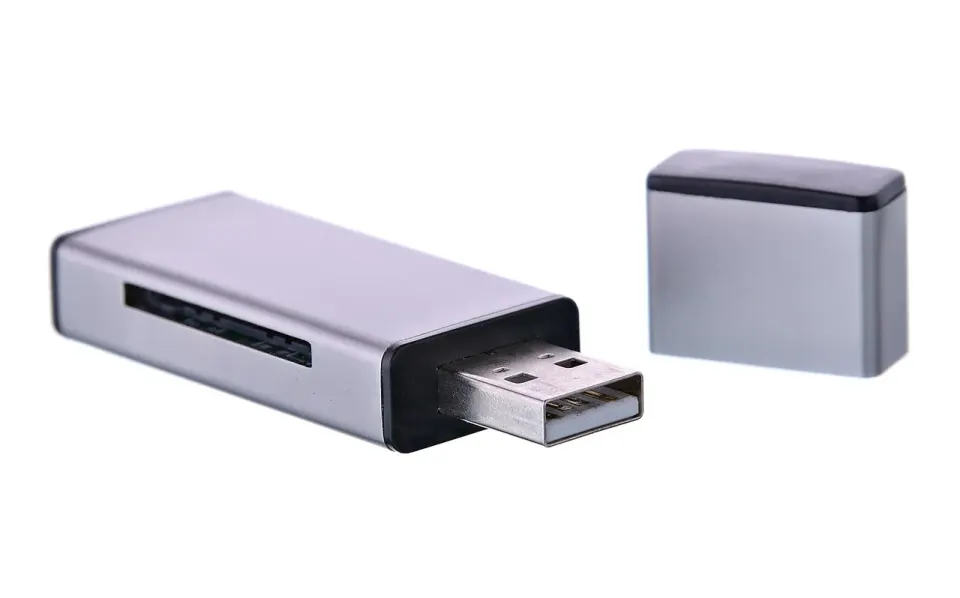
The 3-2-1 rule means keeping 3 copies of important files, on 2 different types of storage, with 1 copy stored off-site. CISA calls it a trusted guideline. The live file counts as one copy, so you need two more.
A practical version for a small office looks like this. The working files sit on your laptops or shared drive. A second copy goes to an external drive that is rotated weekly. A third copy goes to a cloud backup service that runs on its own each night.
The off-site copy is what protects you from fire, flood and theft. A drive in the same office as the computer is not off-site. If the building is gone, both are gone.
CISA repeats the rule in its Level Up Your Defenses fact sheet. It describes the two storage types as something like a hard drive and the cloud, with one copy kept away from your location. The same fact sheet says to test backups so your team can restore data from at least seven days back.
Which Backup Options Fit a Small Team?

Each option protects against different failures. The table compares four common choices without naming vendors, since pricing and features change often. Check the current price per user or per terabyte before you commit.
| Option | Where the copy lives | Protects against | Weak spot |
|---|---|---|---|
| External hard drive | In your office | Hardware failure, deletion | Fire, theft, forgotten swaps |
| Network-attached storage | In your office, on the network | Hardware failure, deletion | Ransomware if always connected |
| Cloud backup service | Off-site, with the vendor | Disaster, theft, most hardware failures | Slow first upload, monthly cost |
| File sync or cloud drive | Mirrored across devices | Lost laptop | Deletions and bad files can sync everywhere |
The last row trips up many small teams. A sync tool copies changes, including a mistaken delete or an encrypted file, to every connected device. Some services keep older versions for a limited window. Check how long yours does, and do not count it as a full backup.
Choose a tool that runs automatically. A backup that depends on someone remembering will fail in the busiest week of the year. If you are also moving off older software, back up first. Our note on the Office 2021 end of support covers one upgrade where that applies.
How Do You Keep Backups Safe From Ransomware?

Keep at least one backup copy disconnected from your network, and protect every copy with encryption and limited access. Ransomware spreads to whatever it can reach, so a drive that is always plugged in can be locked along with the originals.
CISA's #StopRansomware Guide says to maintain offline, encrypted backups of critical data and to test them regularly. The reason is simple. Many ransomware variants look for accessible backups and delete or encrypt them, so the attacker gets leverage.
CISA adds three protections for backups: physical security, encryption and offline copies. It also says you should be able to roll data back at least seven days. That window lets you recover from a problem you notice late.
Lock down the accounts that control your backups. Use multi-factor authentication on the cloud console and the backup software. Microsoft is changing how sign-in codes work, and our post on the retirement of SMS sign-in codes in 2027 explains what to check on those accounts.
If an attack happens, the same guide advises reporting the incident to CISA, your local FBI field office, the FBI Internet Crime Complaint Center or your local U.S. Secret Service field office. It also suggests asking them for help. A tested backup gives you a way to recover while you work through those steps.
How to Test a Restore Without Disrupting Work

A restore test proves the backup works before you need it. CISA recommends scheduled recovery tests that cover full and partial restores. At Emazoo, we suggest a quarterly test on a spare laptop, so you never overwrite live files.
Use this sequence for each test. Work through the steps in order and note the time each one takes.
- Pick three files from different systems, such as a payroll export, a customer list and a shared document.
- Restore each one from the off-site copy to a spare computer.
- Open every file and check that it is complete and current.
- Restore one older version from at least seven days ago.
- Record how long the restore took and compare it with your RTO.
Also check that you can reach critical files without an internet connection. CISA recommends knowing how to do that. A printed contact list and the recovery steps in a binder cost almost nothing and help when email is down.
Finally, train the team. A backup plan only works if more than one person can follow it. Write the procedure in plain steps and make sure two people have run it.
A Simple Backup Schedule for a Ten-Person Office
A schedule keeps the plan from living only in someone's head. The list below shows one workable rhythm. Adjust the timing to match the RPO you set for each system.
- Nightly: the cloud backup service copies shared files, email exports and accounting data automatically.
- Weekly: one person swaps the external drive, stores it away from the office and checks the backup log for errors.
- Monthly: review who has access to the backup console and remove anyone who left.
- Quarterly: run the restore test and update the written recovery steps.
- Yearly: re-run the inventory, since new tools and new data appear all year.
The weekly swap is the weak link, because it depends on a person. If nobody owns it, drop the drive and rely on an automatic second copy instead. A plan you actually follow beats a better plan you skip.
Conclusion
A reliable small business backup plan is short. List what matters, follow the 3-2-1 rule, keep one copy offline and test a restore every quarter. Pick a tool that runs without reminders. Then schedule the first restore test for this week, while the stakes are still low.