Tools · Tools
USPS 2027 Price Increase: What to Check in Your Shipping Software Before January 17
USPS raises prices 5.9% on January 17 and makes an 11% fuel surcharge permanent. Here is what to check in your label software first.
- (Author)
- Ines Calloway
- (Published)
- (Reading)
- 7 min
- (Section)
- Tools

In this guide 6 sections
USPS will raise domestic shipping prices 5.9 percent on average on January 17, 2027, and turn today's 8 percent transportation charge into a permanent 11 percent fuel surcharge. Before then, check that your shipping software loads the new rate tables, shows the surcharge as its own line, and flags the new repricing and barcode fees.
The USPS 2027 price increase lands in the middle of the January shipping lull, which is a good time to audit the tools that print your labels. This guide is for owners and operators who ship physical orders and want to know which settings to check, which costs to model and when a label tool is no longer worth keeping.
Emazoo covers the tools small teams use to run a business, and shipping software is one of the quietest places for a price change to leak money. A tool that prints a label is easy to trust. A tool that prints the wrong price is expensive.
What Did USPS Actually Announce for January 17, 2027?

USPS announced a 5.9 percent average increase for Priority Mail, Priority Mail Express, USPS Ground Advantage and Parcel Select. The details are in the Postal Service's November 12 price announcement. The filing still needs review by the Postal Regulatory Commission (PRC), so treat the numbers as proposed until that review ends.
The fuel piece matters more than the headline. USPS will convert the 8 percent transportation-related change from April 2026 into a permanent fuel surcharge, then add 3 points for a total of 11 percent. USPS says it will reevaluate the surcharge in July 2027.
International prices move too, by an average of 7.9 percent. The full price tables sit on Postal Explorer's price change page, which is where your software vendor should be getting its data.
Here is what changes, in plain terms.
| Item | Today | January 17, 2027 |
|---|---|---|
| Domestic shipping prices | Current tables | 5.9% higher on average |
| Fuel or transportation charge | 8% temporary | 11% permanent surcharge |
| International shipping prices | Current tables | 7.9% higher on average |
| Stamps and First-Class Mail | Current prices | No change |
USPS is not the only carrier raising prices. We covered the FedEx 2027 rate increase and what 5.9 percent costs a small shipper recently. USPS now matches the same headline number, so a shipper who moved volume to the Postal Service to dodge FedEx will not find a cheaper escape.
Does Your Shipping Software Handle the New Fuel Surcharge?

Most shipping software handles a fuel surcharge in one of three ways. It may fold the surcharge into the displayed label price, show it as a separate line, or ignore it until the invoice arrives. Only the first two give you an accurate cost at checkout.
Ask your vendor these questions before January 17:
- When will the new 2027 rate tables load, and will you get an email when they do?
- Does the label price include the 11 percent surcharge or show it separately?
- Will the surcharge update automatically if USPS changes it in July 2027?
- Do your cost reports split postage from surcharges?
The third question matters because the 2027 surcharge is not fixed forever. An analysis from the shipping-audit firm Intelligent Audit says USPS plans to move toward weekly fuel adjustments tied to federal fuel prices later in 2027. A tool that hard-codes 11 percent would drift out of date within months.
Check your storefront too. If your store shows live shipping rates at checkout, those rates come from the same tables. A stale table there means customers pay the old price while you pay the new one, and the gap comes out of your margin on every order.
The simplest test costs nothing. Print one preview label on December 31 and another on January 17, using the same weight, zone and service. If the price does not change, the tables have not updated.
Which New USPS Fees Can Your Label Tool Prevent?
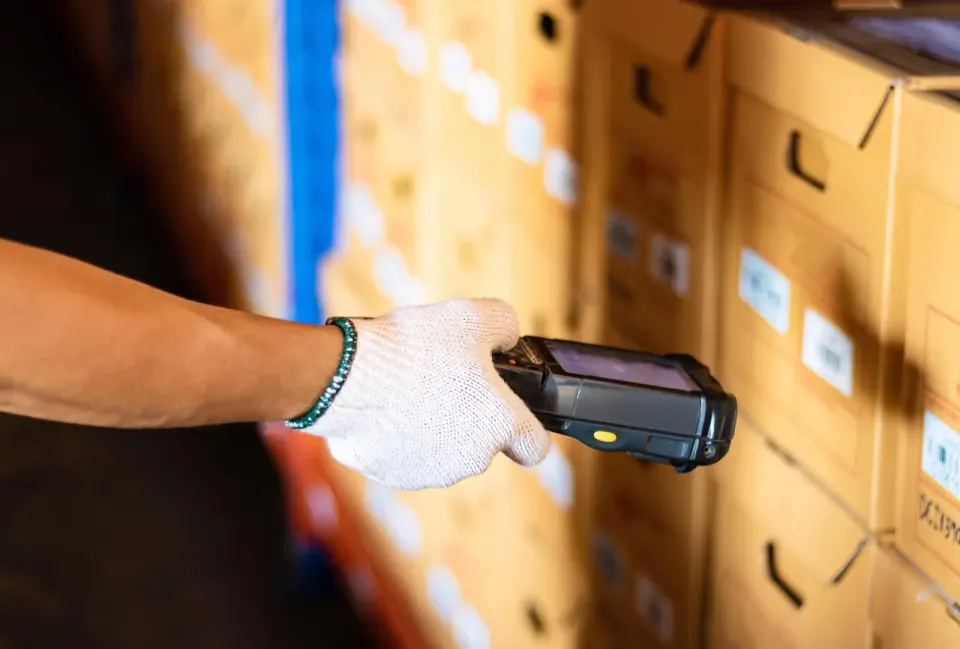
The new fees reward clean data. That is good news for any shop with a tidy product catalog and bad news for anyone who types weights from memory. Intelligent Audit's breakdown of the USPS 2027 filing lists several that a good label tool can help you avoid.
- A repricing fee equal to 20 percent of any postage discrepancy.
- A $5 fee per commercial parcel with an incorrect barcode format.
- An existing $3 fee for missing dimensions or weight.
- A doubled $400 charge for items over 70 pounds or 130 inches combined length and girth.
These figures come from that analysis, not from USPS itself, so confirm them against the official price tables before you budget around them. The pattern is still clear. Every one of these fees is triggered by a mismatch between what you declared and what USPS measured.
That makes your product data the real control. A tool that stores a weight and box size for every product, and refuses to print a label without them, removes the most common cause of repricing. A tool that lets you type "1 lb" for a 2.4 lb item invites the fee.
At Emazoo, we think this is the best reason to clean up the catalog now. Fixing fifty wrong weights takes an afternoon. Paying a 20 percent surcharge on repriced parcels for a year does not.
How Do You Model the Real Cost Before You Switch Anything?
Start with your own last three months of USPS invoices. Do not apply 5.9 percent to the total and stop. USPS says the figure is an average across services, and the rate tables vary by weight, zone and service.
Here is a simple worked example. Suppose a store spends $12,000 a month on USPS Ground Advantage and Priority Mail.
- A 5.9 percent base increase adds about $708 a month.
- The 3 extra surcharge points add up to about $360 a month, if they apply to the same base.
- Together that is roughly $1,068 a month, or $12,816 a year.
That is a planning ceiling, not a quote. The 8 percent already sits inside today's prices, so the real change on any single label will depend on the final tables. Pull a sample of ten typical orders and price each one by hand in both months.
Then compare that number with the cost of the tool itself. Our earlier piece on the Microsoft 365 price increase and how to right-size licenses makes the same point about software seats: a $30 monthly subscription is small next to a $1,000 swing in carrier costs. Spend your time on the bigger number first.
If your shipping tool offers rate shopping, run the same ten orders through it. Rate shopping compares carriers at the moment you print a label. It is most useful when USPS and another carrier are close, which is exactly what a matching 5.9 percent increase can produce. Our look at UPS and FedEx holiday demand surcharges for small online sellers explains the extra charges carriers add at peak, which is another reason to compare carriers label by label instead of trusting one contract.
When Is It Worth Switching Shipping Tools Instead of Waiting?
Switch only when a missing feature costs you more than the move does. Changing label software means re-mapping products, retraining packers and reconnecting your store. That is a day or two of work at the least, and it tends to break something small in week one.
Three signs justify the move:
- The vendor will not say when the 2027 tables will load.
- The tool cannot show surcharges separately in reports.
- You keep paying repricing fees because the tool lets bad weights through.
If none apply, stay put and tighten the data. Most small shops are better served by fixing product weights than by changing vendors. Run the preview-label test, keep the notes, and ask for a written answer on the surcharge.
Keep your customers in mind as well. Our guide to the FTC Mail Order Rule for late holiday orders explains that sellers must ship within the promised time and get the buyer's consent to a delay, or refund them. If a tool switch delays shipping in January, those rules still apply. Plan the move for a slow week.
What Should You Do Before January 17?
Work through a short list in order. Each step takes less than a day.
- Export three months of USPS invoices and total postage, surcharges and fees separately.
- Price ten typical orders by hand using the new tables.
- Fix every product weight and box size in your catalog.
- Email your shipping software vendor the four questions above.
- Print preview labels on January 17 and compare them with December 31.
- Update your free-shipping threshold and shipping charges if the margin has moved.
Put a date in your calendar for the first invoice after January 17. Compare it with the ten orders you priced by hand. A gap of more than a few percent means a table, a surcharge or a weight is wrong somewhere, and finding it in week one is far cheaper than finding it in March.
The Postal Service's increase is real, but the avoidable part is the part caused by bad data and slow software. Check the tool, fix the catalog and keep the arithmetic in a spreadsheet you can reuse in July, when USPS says it will reevaluate the surcharge.